 Tasker
Focus timer · iPhone & Apple Watch
Pomodoro app for iPhoneA calm timer for study and deep work.
Tasker runs the Pomodoro rhythm for you – focus, short break, focus, long break – and keeps the countdown on your Lock Screen, in the Dynamic Island and on your wrist.
- Free to start
- Apple Watch app
- Works offline
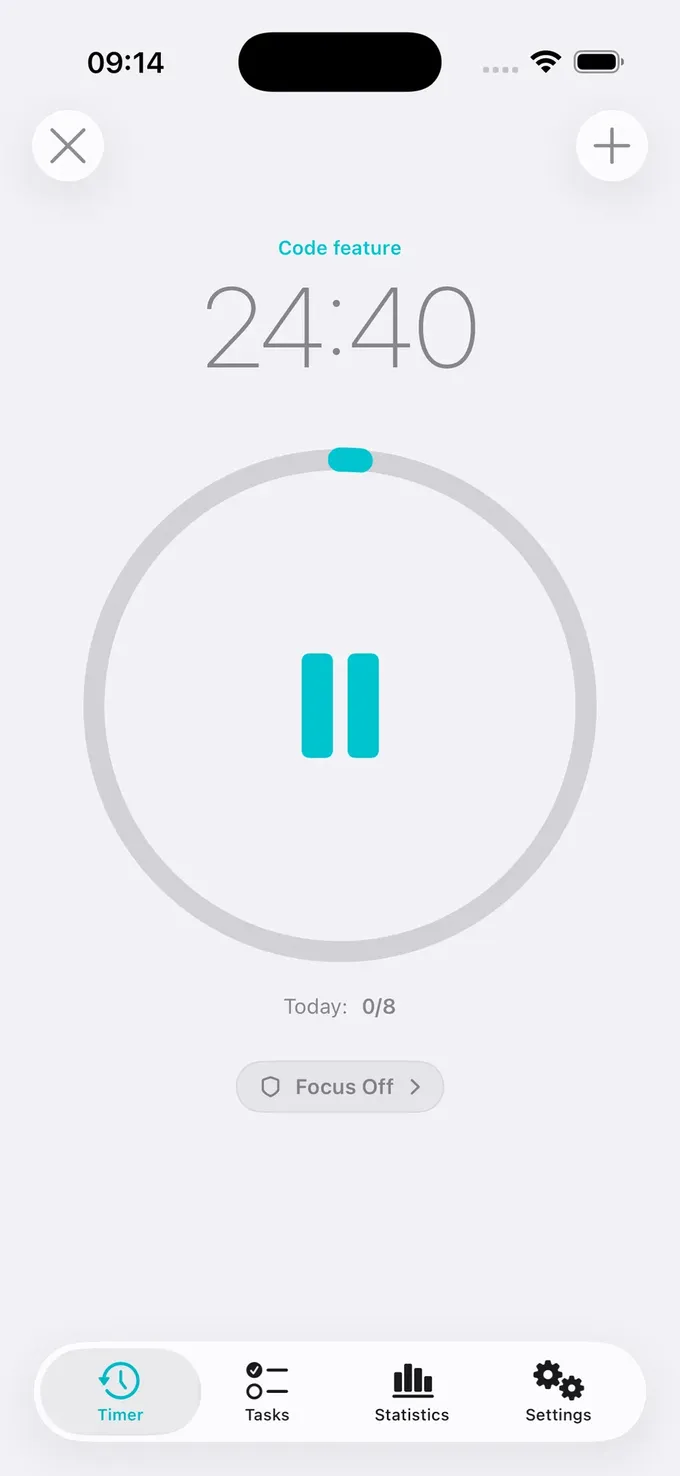
Your Pomodoro day
How a day with Tasker looks
Set a daily target
Decide how many sessions make a good day – for example 8 – and Tasker tracks your progress.
Focus on one task
Pick the task and start. The ring counts down 25 minutes; your phone stays quiet.
Break from the notification
When the session ends, start your break right from the notification, even from the Lock Screen.
Review the week
Statistics show your sessions per day, week and month, so you see what really happened.
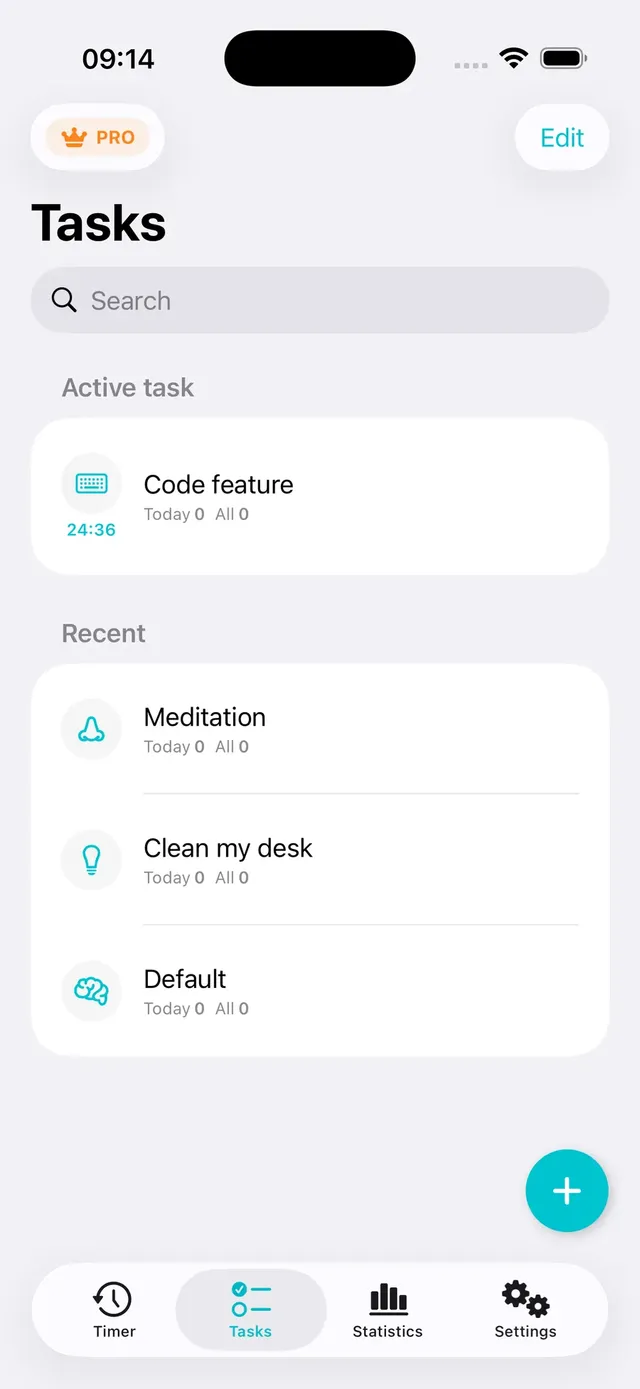
Tasks
One task at a time
Give each task an icon and a note. Tasker counts sessions per task, so you know how much focus went into each project.
- Icons for learning, writing, programming, design, meetings and more
- Switch the active task in one tap
- Session counts per task – today and in total
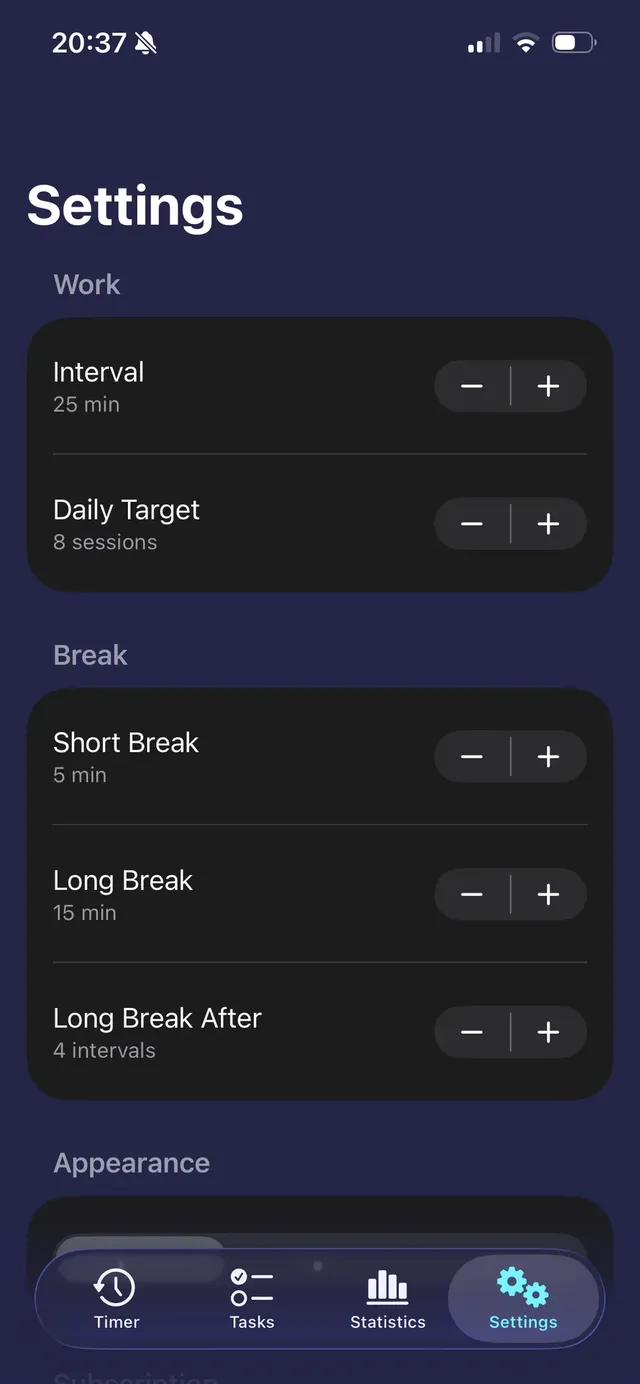
Your rhythm
25 minutes, 50 minutes or 90
The classic 25 / 5 / 15 rhythm works out of the box. With Tasker Pro you shape it around your work.
- Focus sessions from 5 to 120 minutes
- Short and long breaks from 1 to 60 minutes
- Long break after 2 to 48 sessions
- Choose your alert sound and colour palette
Pomodoro app questions
What is the best Pomodoro app for iPhone?
The best one is the one you keep using. Look for a timer that runs outside the app (Live Activity), handles breaks for you, works on your Apple Watch and can block distractions. Tasker does all four, with no account.
Does Tasker work offline?
Yes. The timer, tasks and statistics work without an internet connection. iCloud sync catches up when you're back online.
Can I use Tasker on iPhone and Apple Watch at the same time?
Yes. The Apple Watch app uses your iPhone settings, and your tasks and sessions sync through your own iCloud.
How many sessions are free?
The free plan includes 3 focus sessions a day and 3 tasks. Tasker Pro makes them unlimited.
Guides
Focus guides
The Pomodoro technique, blocking iPhone distractions and beating procrastination.
How to Block Apps on iPhone: 4 Ways That Actually Work
You can block apps on iPhone without installing anything: Screen Time lets you set App Limits and Downtime, and Focus modes can hide apps and silence…
ReadThe Pomodoro Technique: How It Works and How to Start Today
The Pomodoro technique is a simple time-management method: you work on one task for 25 minutes, take a 5-minute break, and after four rounds take a l…
ReadYour next 25 minutes can be your best ones.
Pick a task, start a session and let Tasker keep distracting apps closed. Free to start, no account.
Tasker is available for iPhone, iPad and Apple Watch.