 Tasker
Free online Pomodoro timer
Pomodoro timer
A free Pomodoro timer that works right here in your browser: 25 minutes of focus, a 5-minute break and a long break after four sessions. Change the lengths, press Space to start, and keep going.
Tasker is available for iPhone, iPad and Apple Watch.
How does the Pomodoro technique work?Timer settings
Keep this tab open. On iPhone, Tasker runs the same timer with a Live Activity and blocks distracting apps.
What is the Pomodoro technique?
The Pomodoro technique is a time-management method created by Francesco Cirillo in the late 1980s and named after a tomato-shaped kitchen timer. You work on one task for 25 minutes, then take a 5-minute break. Every four sessions you take a longer break of 15–30 minutes.
It works because a short, fixed block is easy to start, the timer takes the decision of when to stop off your hands, and regular breaks keep your attention fresh. One session is called a "pomodoro".
How to use this timer
Four steps to your first pomodoro
Choose one task
Write down exactly what you will work on, e.g. "draft the introduction" rather than "essay".
Start the timer
Press Start (or the Space bar). Work only on that task until the timer rings – no email, no phone.
Take the break
Stand up, drink water, look away from the screen. The timer starts the break for you.
Repeat and rest
After four focus sessions the timer gives you a long break. Then start the next round.
The timer remembers your settings and today's session count in this browser only. Nothing is sent to us.
Take it with you
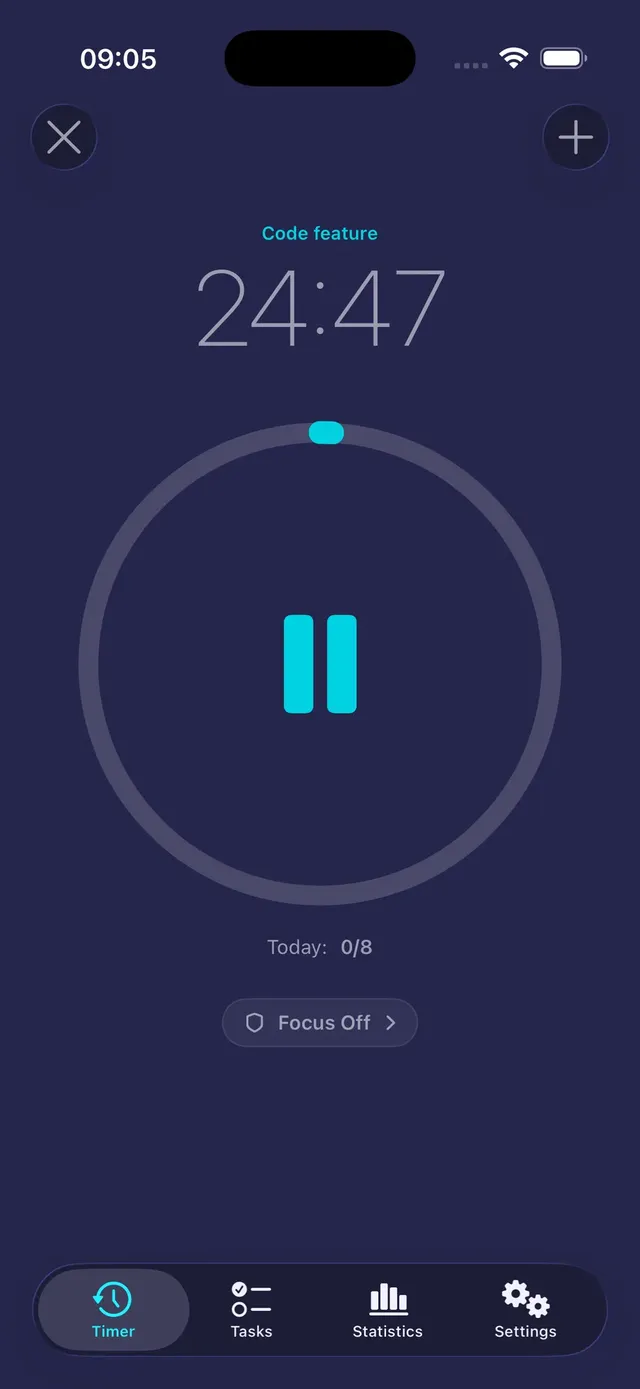
The same timer on your iPhone – with an app blocker
A browser tab can't stop you from picking up your phone. Tasker can: it runs your Pomodoro sessions on iPhone and Apple Watch and blocks the apps you choose while you focus.
- Countdown on the Lock Screen and in the Dynamic Island
- Blocks social media and other apps during sessions (Pro)
- Statistics of every session, per task
- Free to start, no account
Pomodoro timer questions
How long is one Pomodoro?
The classic Pomodoro is 25 minutes of focused work followed by a 5-minute break. After four Pomodoros you take a longer break of 15–30 minutes. Many people later move to 50/10 or 52/17 blocks – use the presets in the timer settings.
Does the timer work in a background tab?
Yes. The timer counts down to a fixed end time, so it stays accurate when the tab is in the background, and plays a sound when the phase ends. Keep the tab open and the sound on.
Is this Pomodoro timer free?
Yes, completely free in your browser, with no sign-up and no ads. If you want the timer on your iPhone with app blocking, try the Tasker app.
What should I do during a Pomodoro break?
Leave the screen: stretch, walk, drink water or look out of the window. Avoid starting anything that is hard to stop, like social media or a video.
Can I use the Pomodoro technique for studying?
Yes – it is one of the most popular ways to study. Split a chapter or a set of exercises into 25-minute blocks, and use the breaks to rest, not to check your phone.
Guides
Focus guides
The Pomodoro technique, blocking iPhone distractions and beating procrastination.
How to Block Apps on iPhone: 4 Ways That Actually Work
You can block apps on iPhone without installing anything: Screen Time lets you set App Limits and Downtime, and Focus modes can hide apps and silence…
ReadThe Pomodoro Technique: How It Works and How to Start Today
The Pomodoro technique is a simple time-management method: you work on one task for 25 minutes, take a 5-minute break, and after four rounds take a l…
ReadYour next 25 minutes can be your best ones.
Pick a task, start a session and let Tasker keep distracting apps closed. Free to start, no account.
Tasker is available for iPhone, iPad and Apple Watch.