 Tasker
You open Instagram “for a second” and lose 20 minutes
Choose the apps, categories and websites that pull you away. During a focus session iOS blocks them for you.
Pomodoro timer · iPhone, iPad & Apple Watch
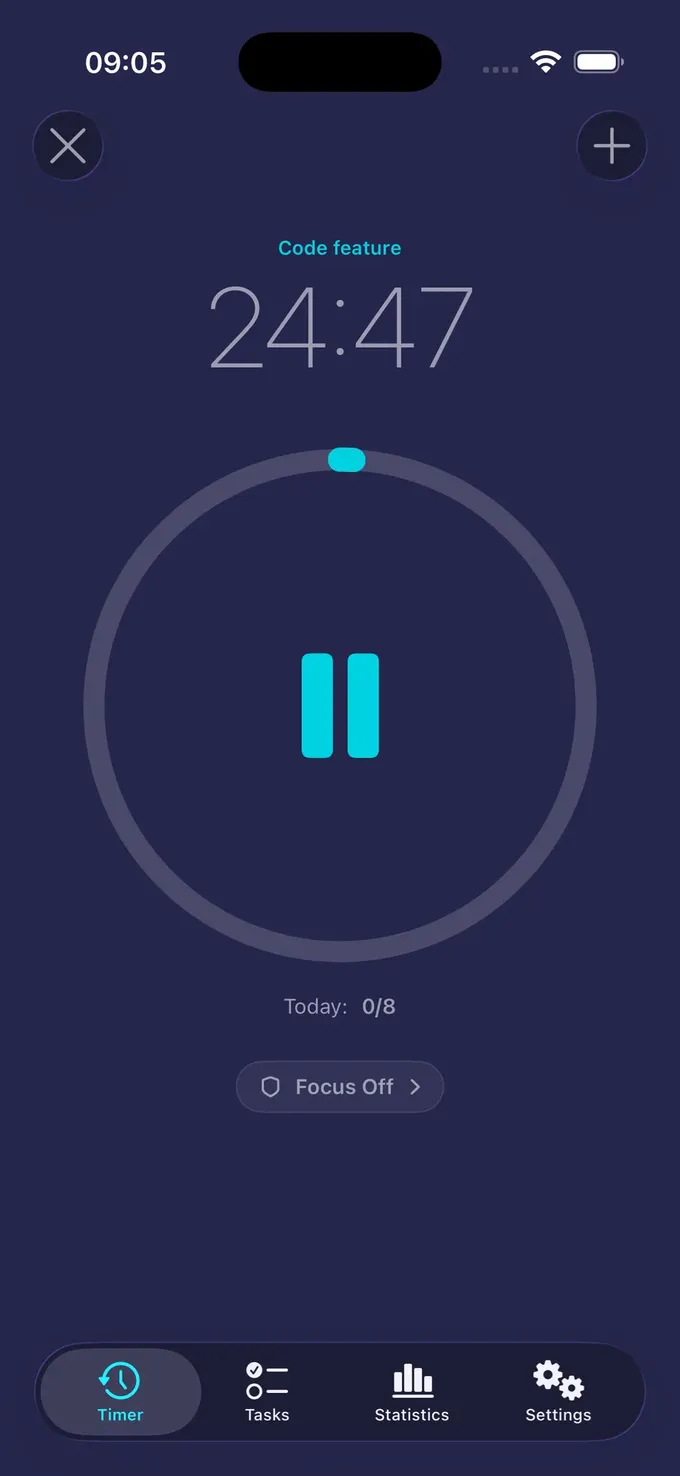
Pick a task and start a focus session. Tasker counts down on your Lock Screen, in the Dynamic Island and on your Apple Watch, and blocks the apps and websites you choose until the break.
Sound familiar?
Most lost focus comes from a few predictable traps. Tasker closes each one.
Choose the apps, categories and websites that pull you away. During a focus session iOS blocks them for you.
A 25-minute session is small enough to start right now. Tasker turns a scary project into a row of short, finishable blocks.
Short breaks after every session and a long break after four keep your energy steady through the day.
Every session is logged per task. Daily, weekly and monthly stats show your real focus time.
How it works
No setup marathon. The classic Pomodoro settings work out of the box.
Add what you are working on – an essay, a feature, a chapter – with an icon and a note.
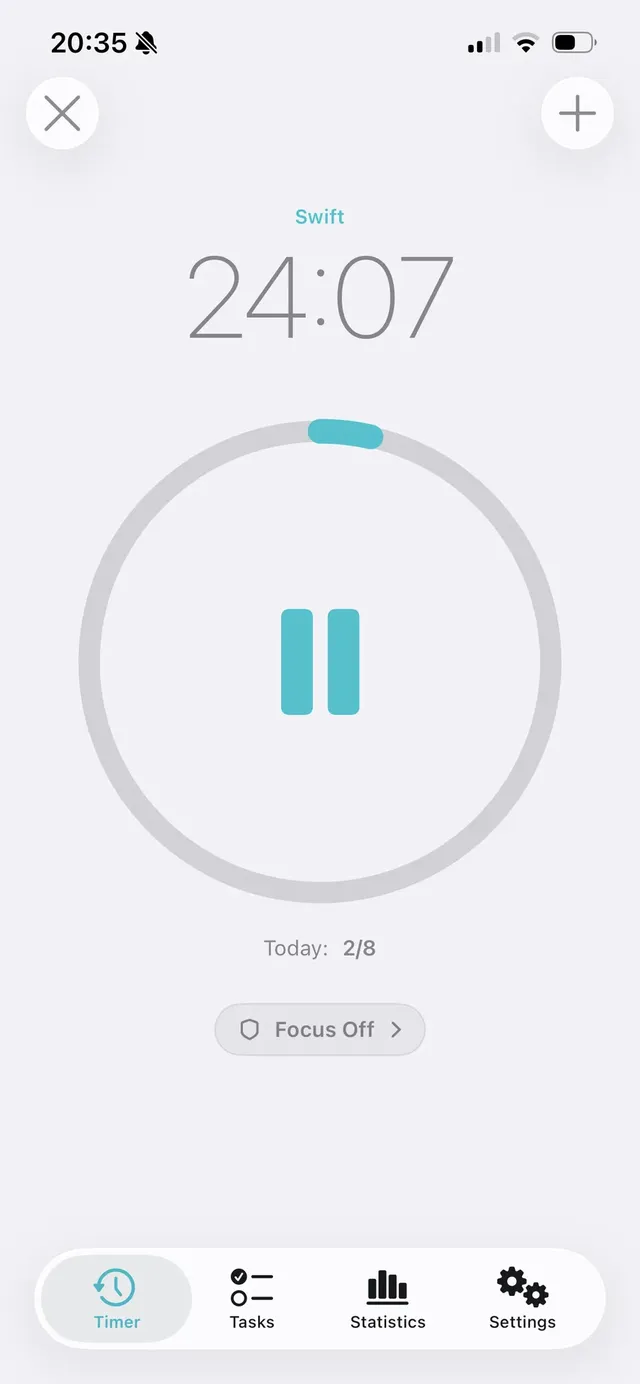
25 minutes of focus. The countdown follows you to the Lock Screen, the Dynamic Island and your Apple Watch.
Turn on the focus blocker once and the apps and websites you picked stay closed during every work session.
When the session ends, start your break straight from the notification. After four sessions: a long break.
Prefer 50/10 or 90-minute blocks? Tasker Pro lets you set any session length from 5 to 120 minutes.
Focus blocker
Tasker uses Apple's Screen Time framework, so the blocking is done by iOS itself – not by a reminder you can swipe away.
Statistics
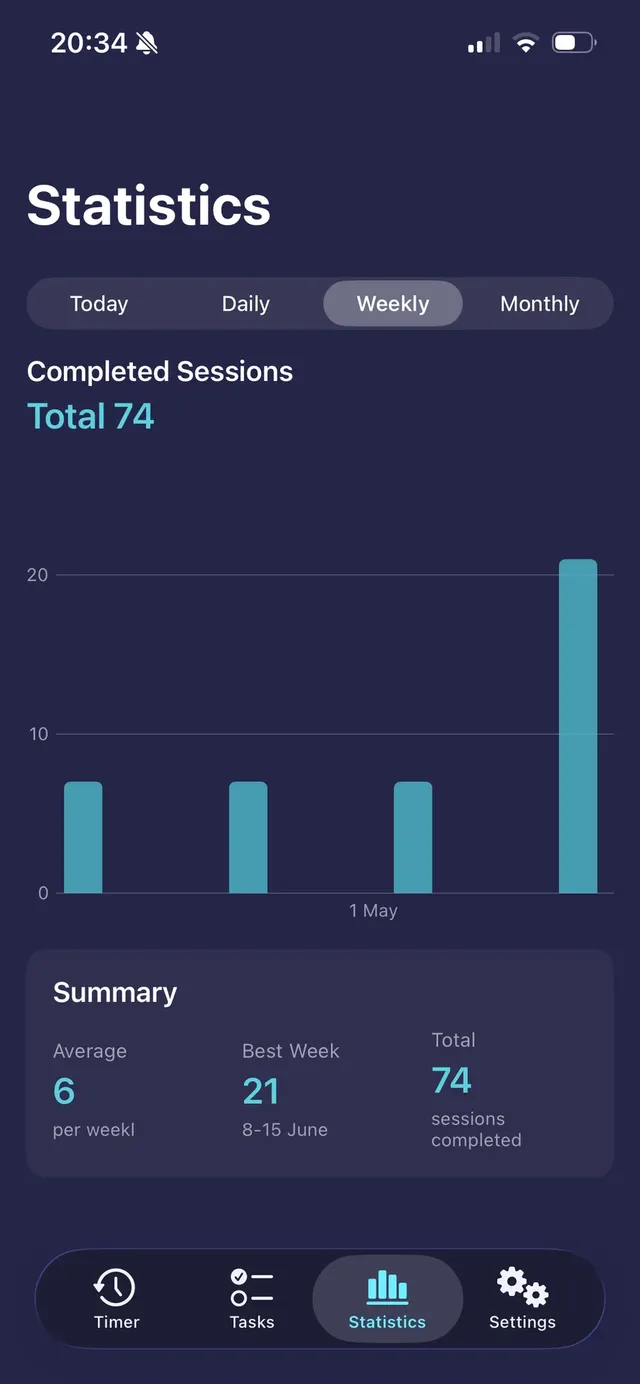
Every finished session is counted – even when it ends while Tasker is closed. Set a daily target and watch your streak of good days grow.
Everywhere you look
Leave Tasker and the countdown keeps running in a Live Activity. Your Apple Watch shows the same session with the same settings as your iPhone.
Everything for deep work
No feeds, no streak shaming, no clutter. Just the tools that help you start, stay and stop on time.
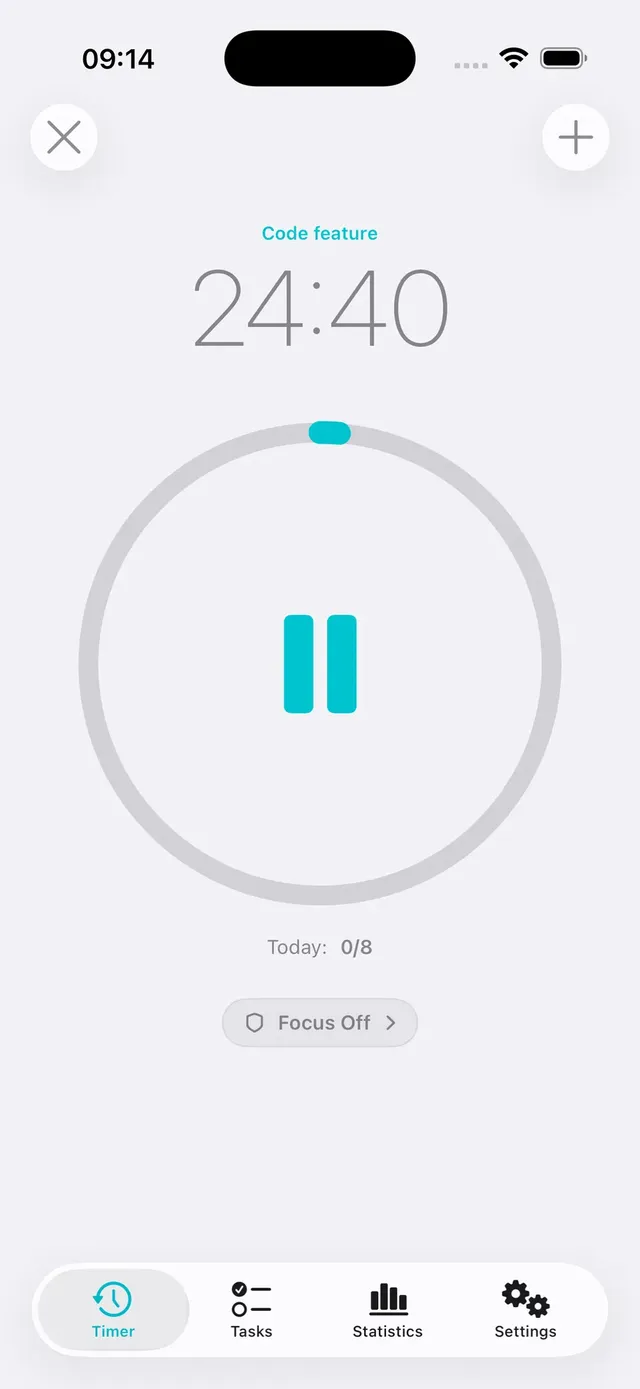
Focus sessions with short and long breaks, a daily target and a big, calm countdown ring.
Learn moreBlock apps, categories and websites during work sessions with Apple's Screen Time.
Learn moreTasks with icons and notes. Switch what you're working on in one tap.
Daily, weekly and monthly focus history with averages and best days.
Start and follow sessions on your wrist with your iPhone settings.
The countdown stays on the Lock Screen and in the Dynamic Island.
Start the break or the next session from the notification. Daily focus reminders.
One big timer, one next step, no clutter – a structure that makes starting easier.
Learn moreTasks and sessions sync through your private iCloud. Works offline too.
Privacy
Tasker has no account, no ads and no analytics. Your tasks and sessions stay on your devices and in your own iCloud. The blocker works through Apple's Screen Time: iOS gives Tasker private tokens, so it can block your picks without ever knowing which apps they are.
Pricing
The free plan is a real Pomodoro timer, not a demo. Pro removes the limits and adds the blocker.
Free
no time limit
$1.99
per month · 3-day free trial
or $9.99 once – lifetime access
US prices. The App Store shows the price in your currency. Cancel the subscription any time in your App Store settings.
FAQ
Yes. You can download Tasker for free and use the Pomodoro timer with 3 focus sessions a day and 3 tasks, including the Live Activity and the Apple Watch app. Tasker Pro removes the limits and adds the focus blocker, statistics and custom session lengths – as a monthly subscription with a 3-day free trial or a one-time lifetime purchase.
Tasker uses Apple's Screen Time framework (Family Controls). You pick apps, app categories and websites; during a work session iOS blocks them. Tasker never sees which apps you chose or how you use your phone.
Yes. The countdown continues in a Live Activity on the Lock Screen and in the Dynamic Island, and a notification tells you when the session ends. Sessions that end while Tasker is closed are still counted.
Yes. The Apple Watch app lets you start and follow sessions on your wrist and uses the session lengths and daily target from your iPhone.
With Tasker Pro you can set focus sessions from 5 to 120 minutes, breaks from 1 to 60 minutes and choose after how many sessions the long break comes. The free plan uses the classic 25 / 5 / 15 rhythm.
Many people with ADHD use short, timed sessions to get started and to notice time passing. Tasker keeps it simple: one task, one big countdown, a break you don't have to remember and fewer distractions. It is a focus tool, not a treatment.
No. There is no sign-up. Your tasks and sessions stay on your devices and sync through your own iCloud if you use it.
No. Tasker is made for iPhone, iPad and Apple Watch. On any computer you can use our free online Pomodoro timer.
Guides
The Pomodoro technique, blocking iPhone distractions and beating procrastination.
You can block apps on iPhone without installing anything: Screen Time lets you set App Limits and Downtime, and Focus modes can hide apps and silence…
ReadThe Pomodoro technique is a simple time-management method: you work on one task for 25 minutes, take a 5-minute break, and after four rounds take a l…
ReadPick a task, start a session and let Tasker keep distracting apps closed. Free to start, no account.
Tasker is available for iPhone, iPad and Apple Watch.